








Features
- Multi-Platform Support: TikTok, Instagram, Twitter/X, Facebook, YouTube, LinkedIn
- Intelligent Tool Selection: Automatically chooses optimal scraping methods
- Comprehensive Analysis: Content extraction, claim identification, cross-referencing, verdict synthesis
- Authoritative Sources: Verifies against news sites, fact-checkers, official sources
- Confidence Scoring: Evidence-based verdicts with transparency
Demo
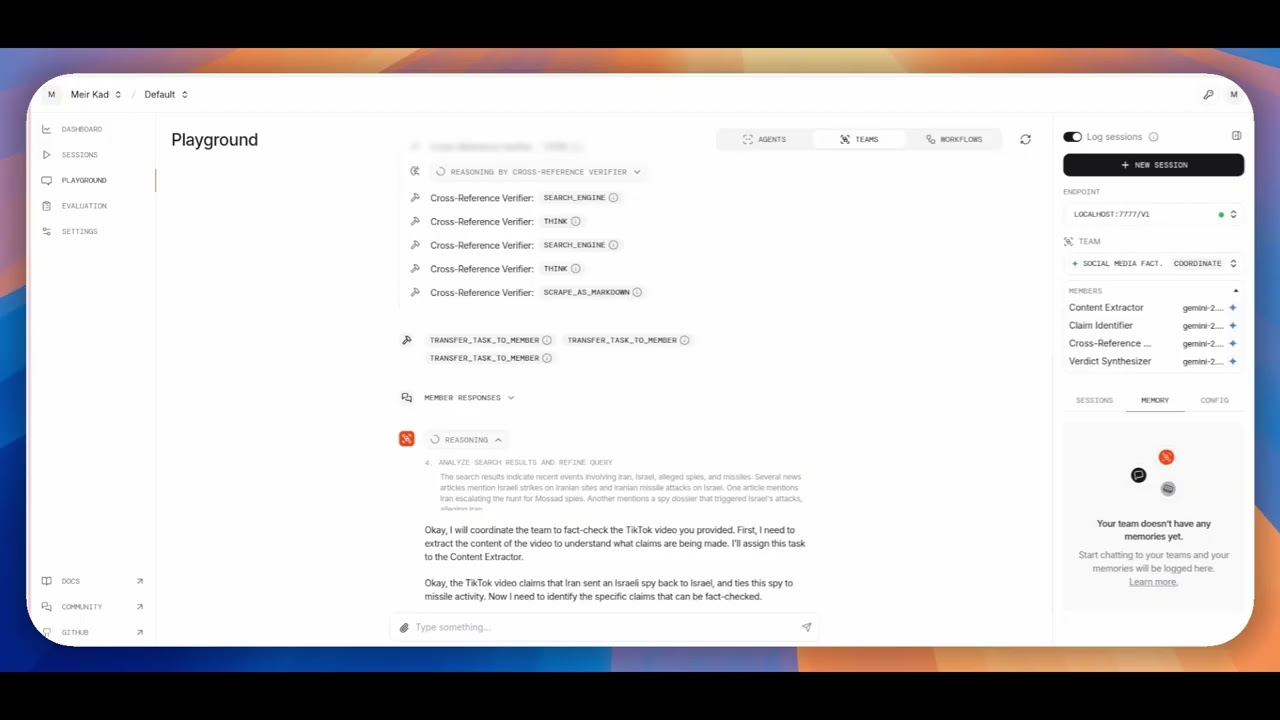
Click to watch FactFlux in action
Prerequisites
- Python 3.8+
- Valid API keys for:
- Google’s Gemini
- Bright Data
Installation
-
Clone the repository
git clone https://github.com/MeirKaD/FactFlux.git cd FactFlux -
Create virtual environment
python -m venv venv source venv/bin/activate # On Windows: venvScriptsactivate -
Install dependencies
pip install -r requirements.txt -
Configure environment variables
cp .env.example .env
# Edit .env with your API keys
Configuration
Create a .env file with your API keys:
GOOGLE_API_KEY=your_google_gemini_api_key_here
BRIGHT_DATA_API_KEY=your_bright_data_api_key_here
Usage
Playground Mode (Recommended)
python playground_fact_check.pyArchitecture
Agent Team Structure
-
Content Extractor Agent
- Extracts post data using optimal Bright Data tools
- Handles multiple platforms automatically
-
Claim Identifier Agent
- Identifies verifiable factual claims
- Separates facts from opinions/satire
-
Cross-Reference Agent
- Verifies claims against authoritative sources
- Performs reverse media searches
-
Verdict Agent
- Synthesizes evidence and delivers final verdict
- Provides confidence scores and reasoning
Workflow Process
URL Input Content Extraction Claim Identification Cross-Reference Final VerdictTech Stack
- Agno
- Gemini
Supported Platforms
- TikTok
- Twitter/X
- YouTube
Error Handling
The system includes comprehensive error handling for:
- Invalid URLs
- Network failures
- API rate limits
- Malformed social media posts
- Missing content
Contributing
- Fork the repository
- Create a feature branch (
git checkout -b feature/amazing-feature) - Commit your changes (
git commit -m 'Add amazing feature') - Push to the branch (
git push origin feature/amazing-feature) - Open a Pull Request
License
This project is licensed under the MIT License – see the LICENSE file for details.
Support
- Check the logs for detailed error information
- Ensure all API keys are valid and have sufficient credits
- Verify the social media URL is publicly accessible
- Review the supported platforms list
Updates
- Check for Agno framework updates:
pip install -U agno - Monitor Bright Data API changes
- Keep model versions updated in configuration
Note: This system is designed for educational and research purposes. Always respect platform terms of service and rate limits.